Sources on GitHub

Ask on the Forums

Chat on Gitter

Chat on F# Slack











Join 4k+ WebSharper developers
Receive the newsletter.
Experimental tools and extensions: CodeMirror, ThreeJS, Slickgrid, and many more.
Get started in just minutes
On Windows, Mac and Linux with .NET Core.
Install the WebSharper project templates:
Create a project of your choice:
Build and run:


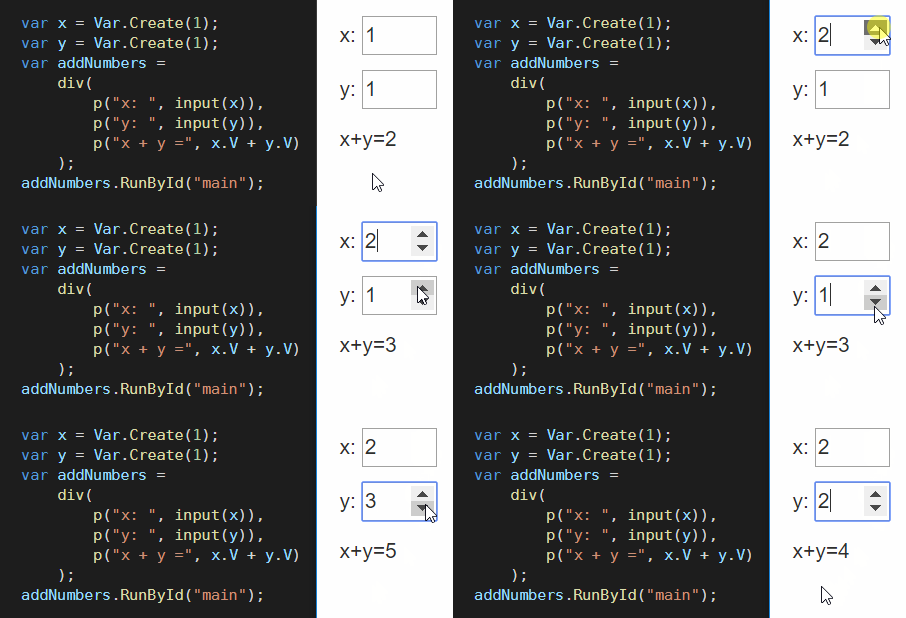
Functional, reactive applications with WebSharper.UI
in C# or F#
Bind composite data models to your reactive user interfaces.
The flow of reactive values through the code is explicit yet concise, for maximum readability.
Learn more...
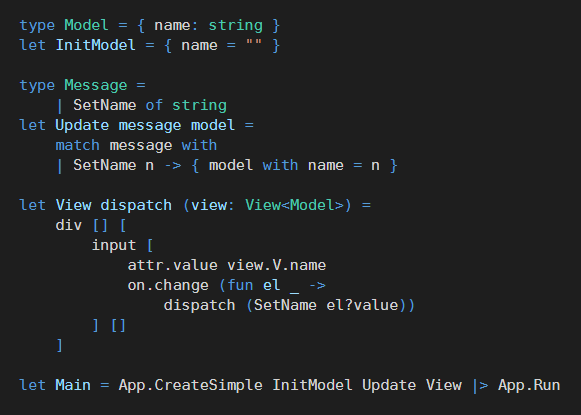
Model-View-Update architecture with WebSharper.Mvu
Structure client-side applications with clear separation of concerns between logic and display.
Based on WebSharper.UI, Mvu brings Elm-like architecture to WebSharper.
Learn more...
Build React components
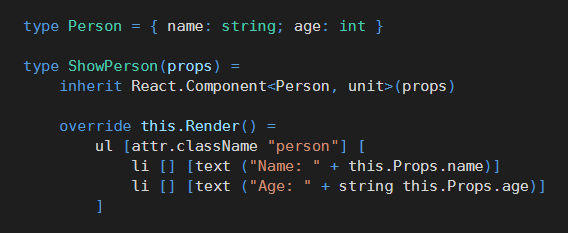
You can also use widespread libraries such as React to build applications.
The syntax is as convenient as JSX, with the added benefit of strong typing.
Learn more...
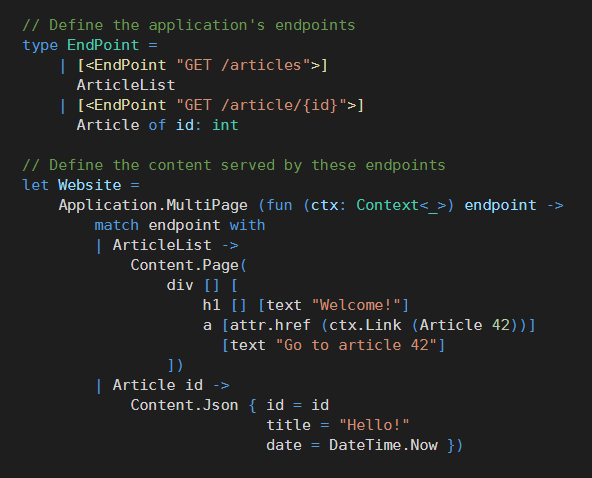
Web APIs and server-side JSON and HTML
Declare your URLs as a C# or F# endpoint type, and WebSharper handles the dispatch. Create safe internal links from endpoint values.
You can share the same rendering code and templates between the server and the client.
Automatically parse JSON requests and generate JSON responses based on your types.
Learn more...
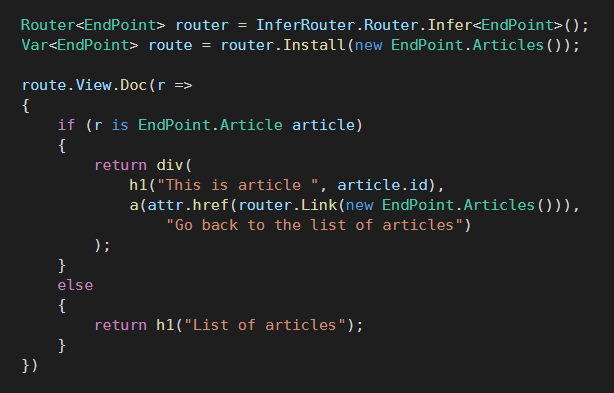
Client-side routing
Write SPAs with the same routing API on the client side as you would use on the server side.
Learn more...
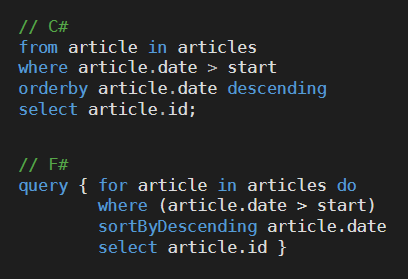
Use powerful language constructs on the client side
C#: LINQ queries, asynchronous Tasks, generators...
F#: Query expressions, async workflows, sequence expressions...
Learn more...
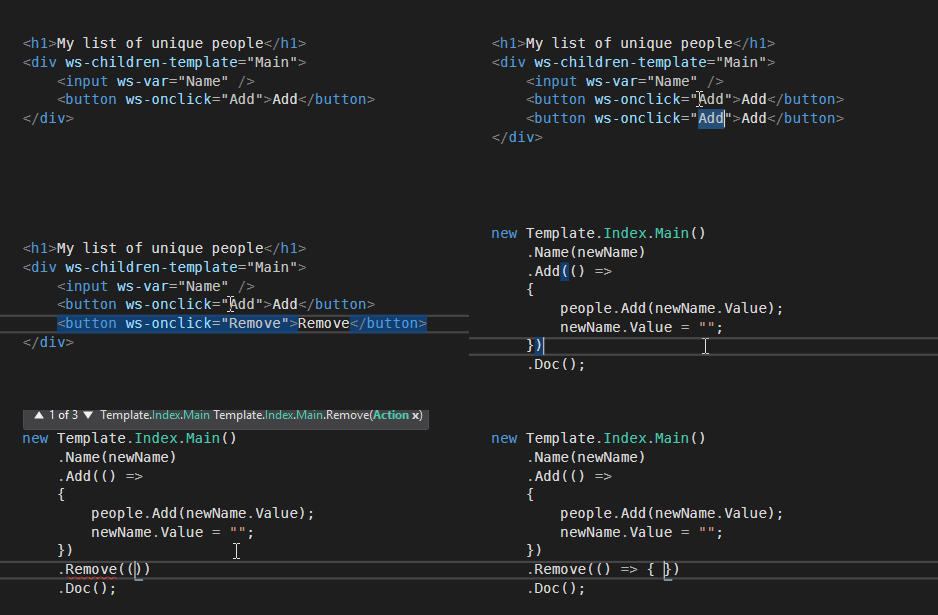
Type-safe HTML templating
Use HTML templates to keep your logic and UI clearly separate and facilitate the collaboration between programmers and designers.
Learn more...
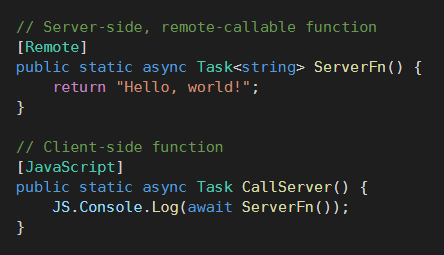
Remoting with ease
Seamlessly call server-side asynchronous functions from the client side.
AJAX call, JSON serialization... Everything is handled automatically.
Learn more...
Powerful UI abstractions
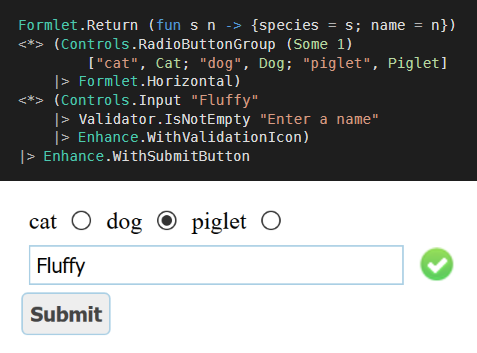
Declare full interactive forms in just a few lines of code with Formlets and Piglets.
Learn more...
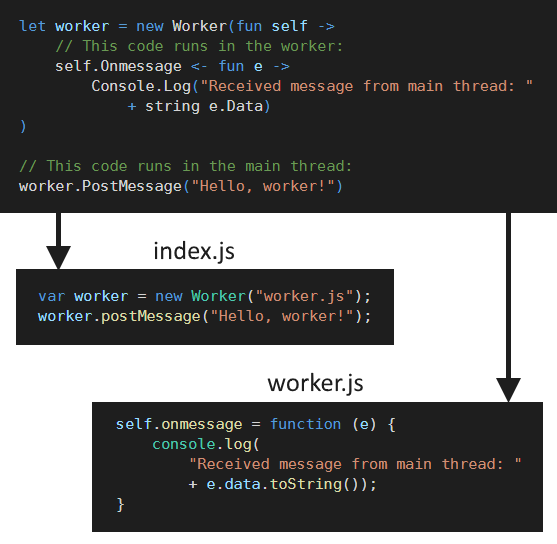
Web Workers without hassle
Write client-side parallel code directly in your code.
The compiler automatically creates the separate trimmed JavaScript file for the web worker.
Learn more...
Upcoming features
WebPack support
Integrate your C# or F# client-side code into an existing JavaScript codebase.
TypeScript output
Compile your C# or F# to TypeScript to easily interact with your TypeScript codebase.
Featured community projects
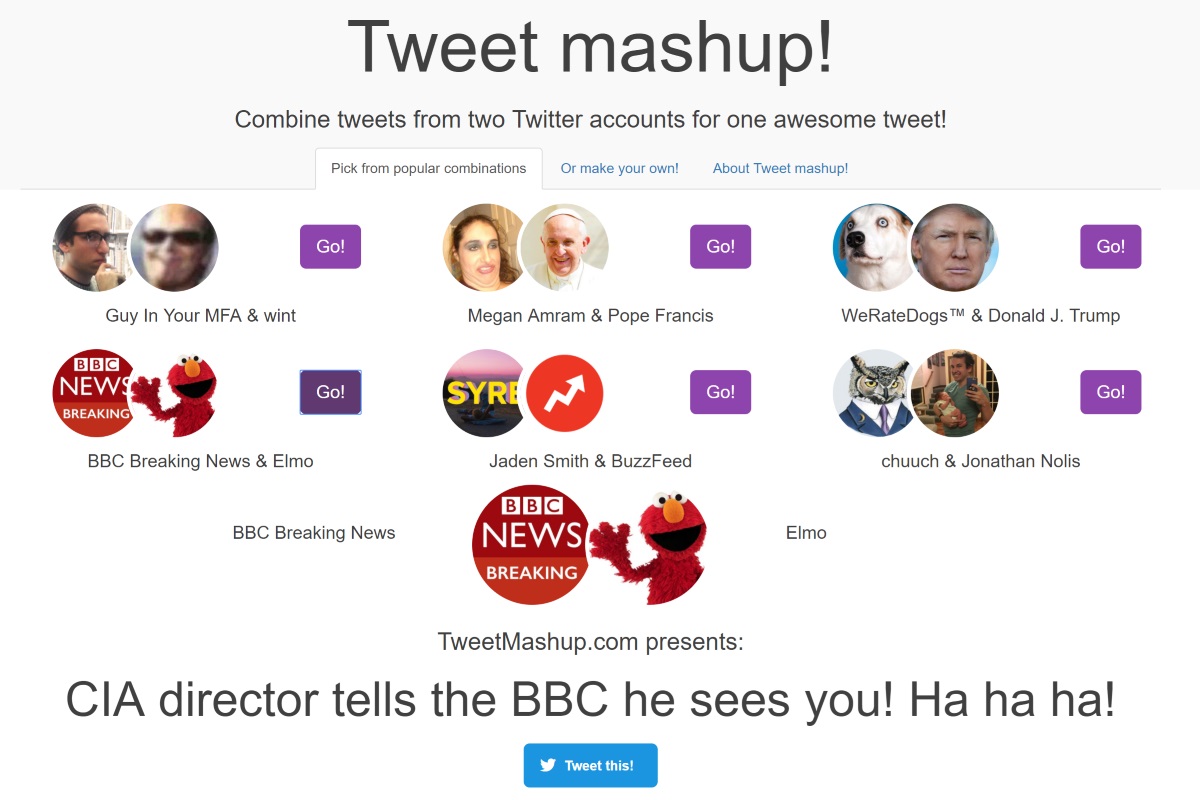
Tweet Mashup
by @skyetetra,
serving over a million visitors.